
Edit the real text
of your PDFs
Most PDF tools cover text with a white box and type on top. Revora changes the text itself, with the original font, size and color.
Windows 10 and 11 · 7-day free trial · one-time purchase, no subscription
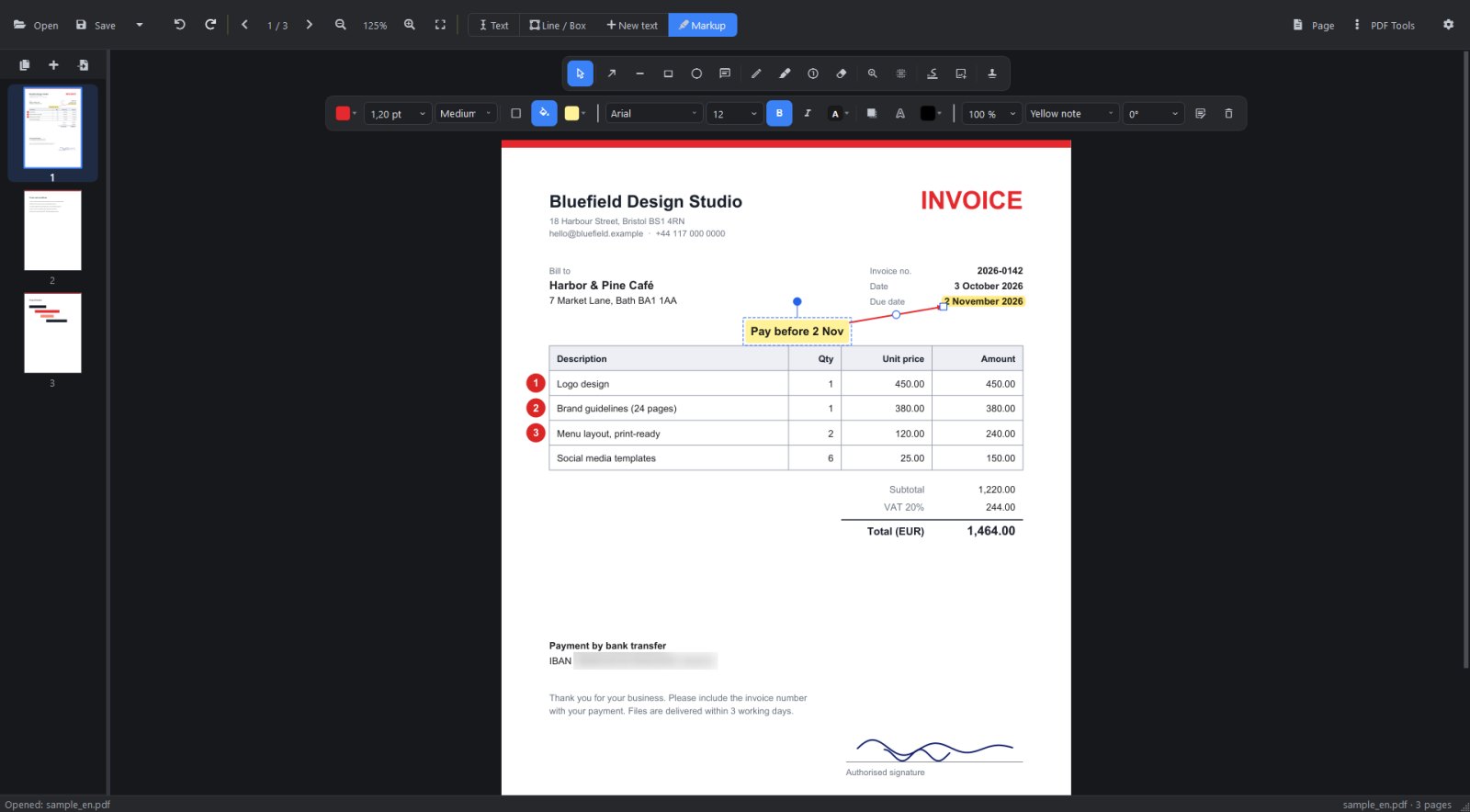
Original fonts
Revora finds the font the PDF uses among the fonts installed in Windows and writes your change with it.
Offline and private
No account, no cloud, no upload. Your documents never leave your computer.
Buy once
Try it free for 7 days, then pay once and keep it. No subscription.
Everything you need for everyday PDFs
Edit, mark up, sign and organize, in one fast desktop app.
Edit text in place
Click a line and type. Move, rotate and delete text without touching what is around it. Multi-line text with line spacing, and new text anywhere on the page.
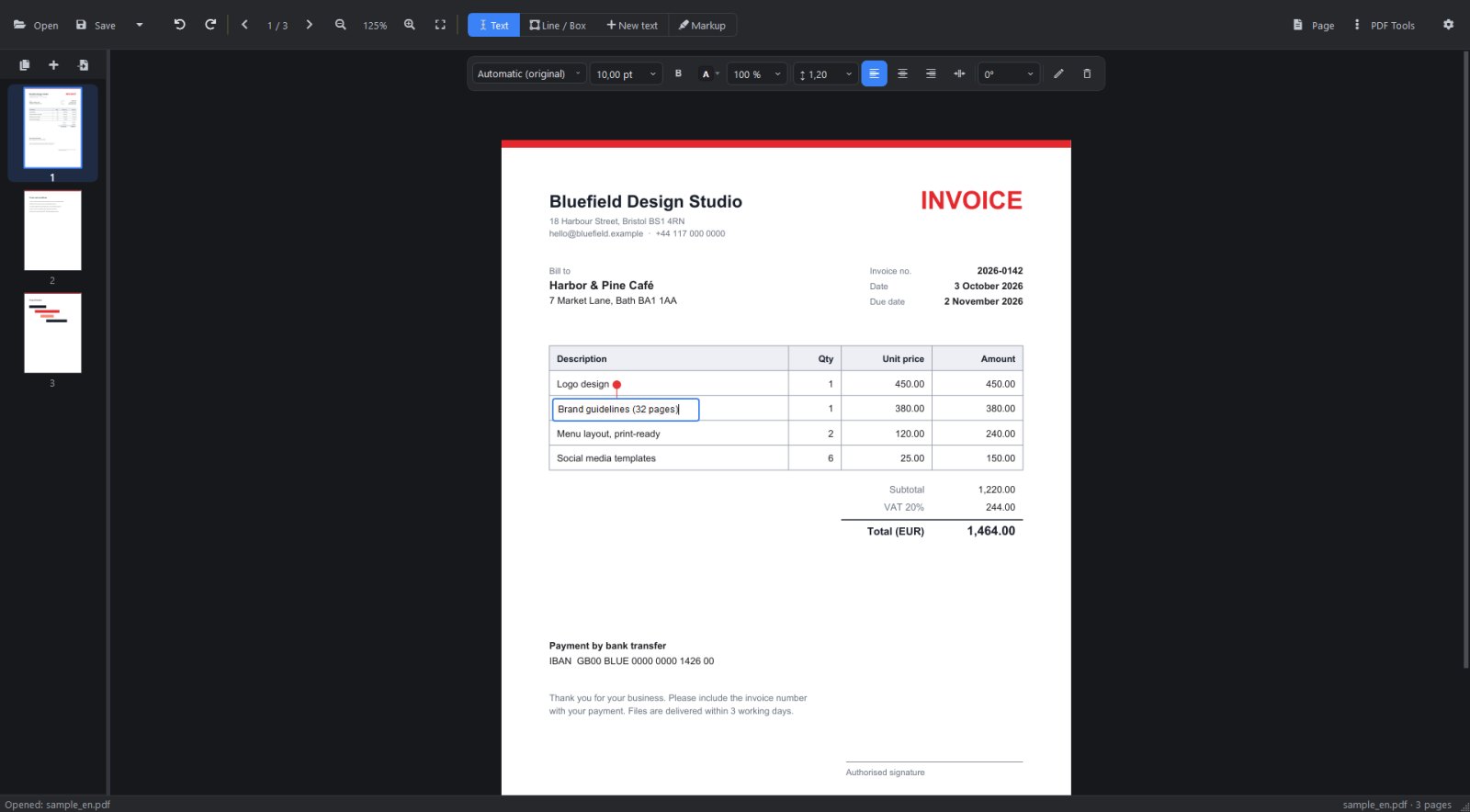
Tables and lines as real objects
Select table lines and move, resize, bend or restyle them. Box-select a whole grid and move it at once; new lines snap to corners.
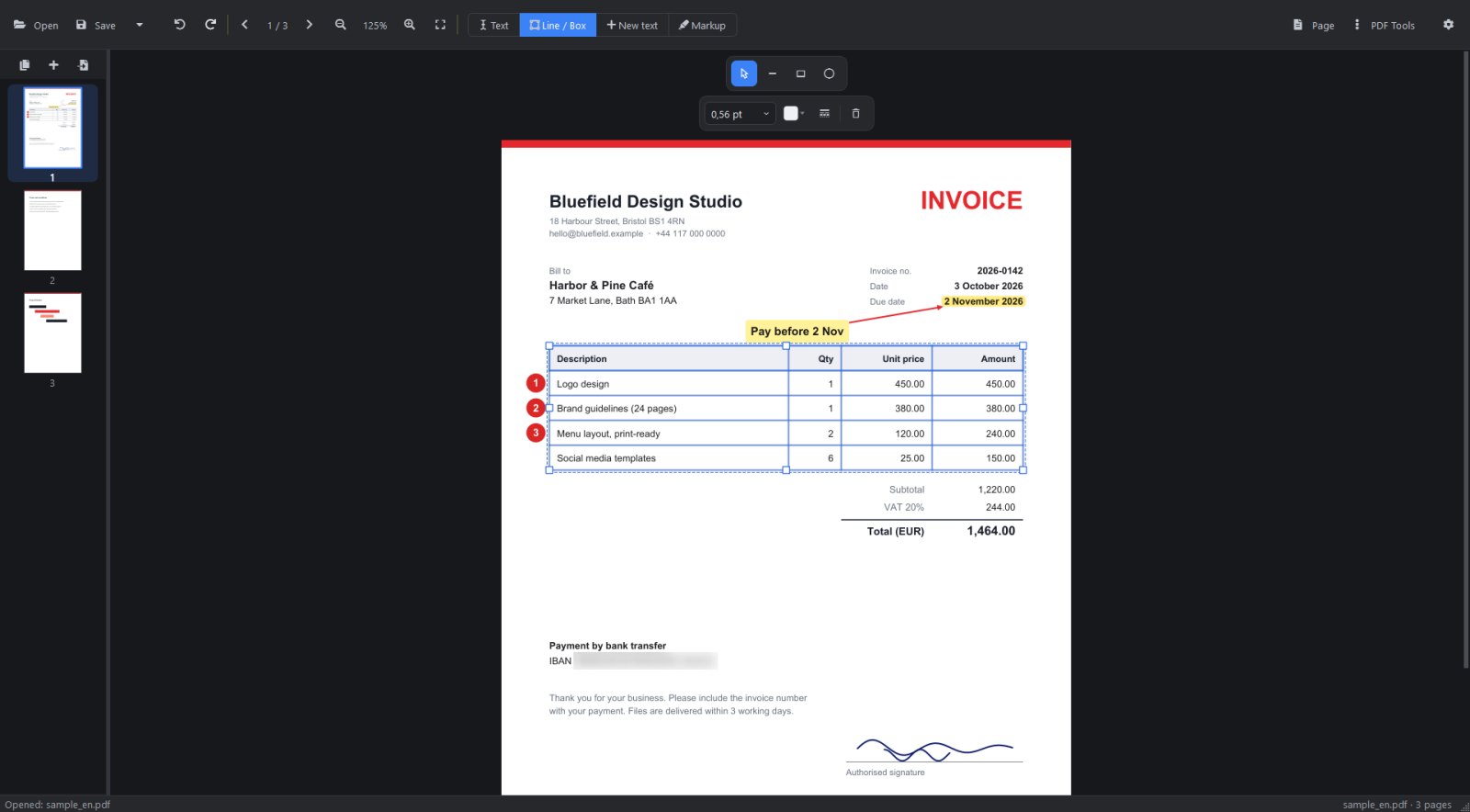
Markup that stays editable
Arrows, notes, highlights that snap to words, numbered badges, a magnifier for details, signatures and stamps. Everything can be changed again after saving.
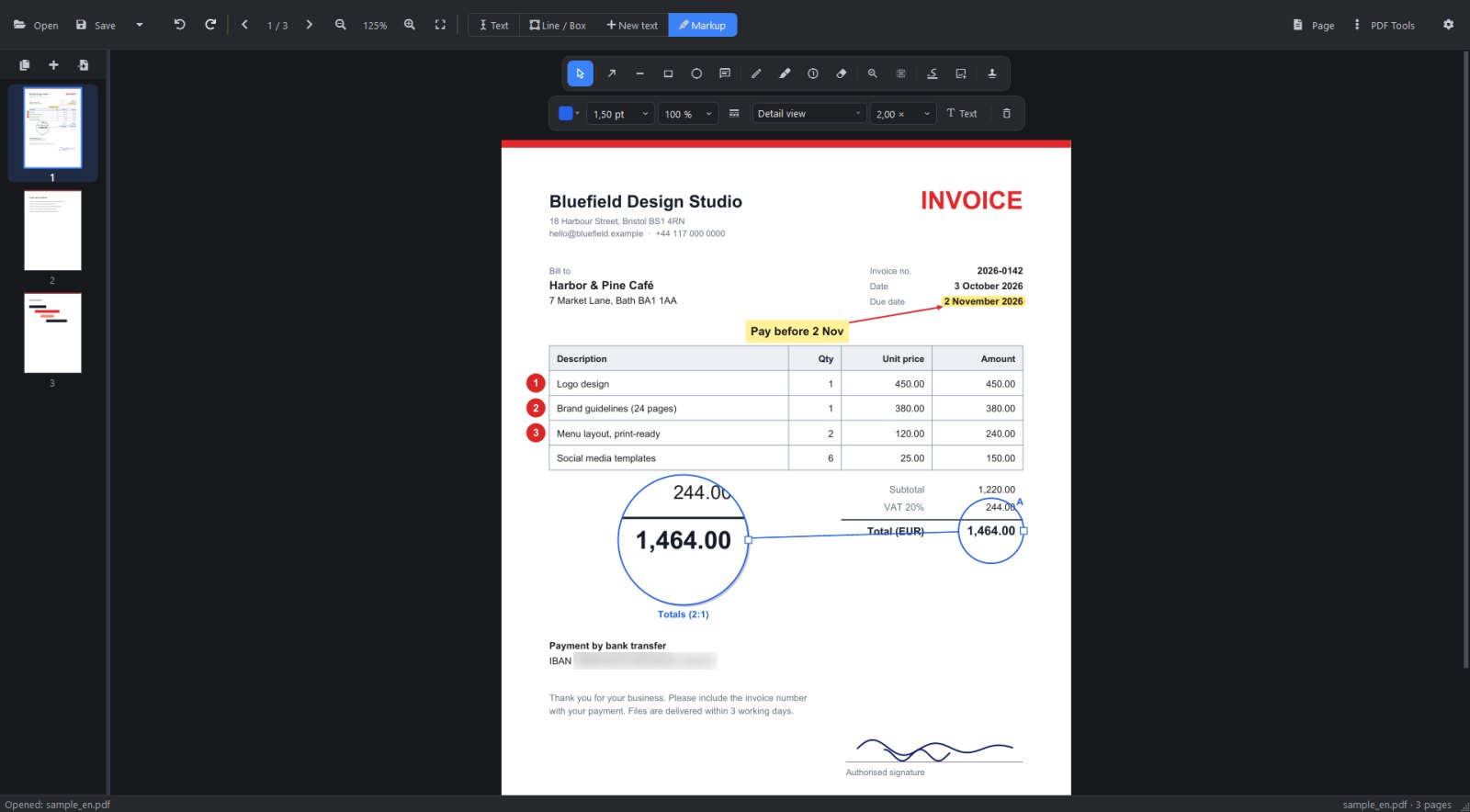
Also included
The tools you reach for every week.
- Blur that really removes the text underneath (redaction)
- Signatures: draw once or load a photo of your signature
- Reorder, rotate, insert, duplicate and delete pages
- Merge and split PDFs
- Watermarks and form filling
- Images to PDF, PDF pages to PNG/JPG
- Extract embedded photos at full resolution
- OCR for scanned pages (with the free Tesseract engine)
- Undo/redo and zoom up to 800%
- English and Turkish interface